
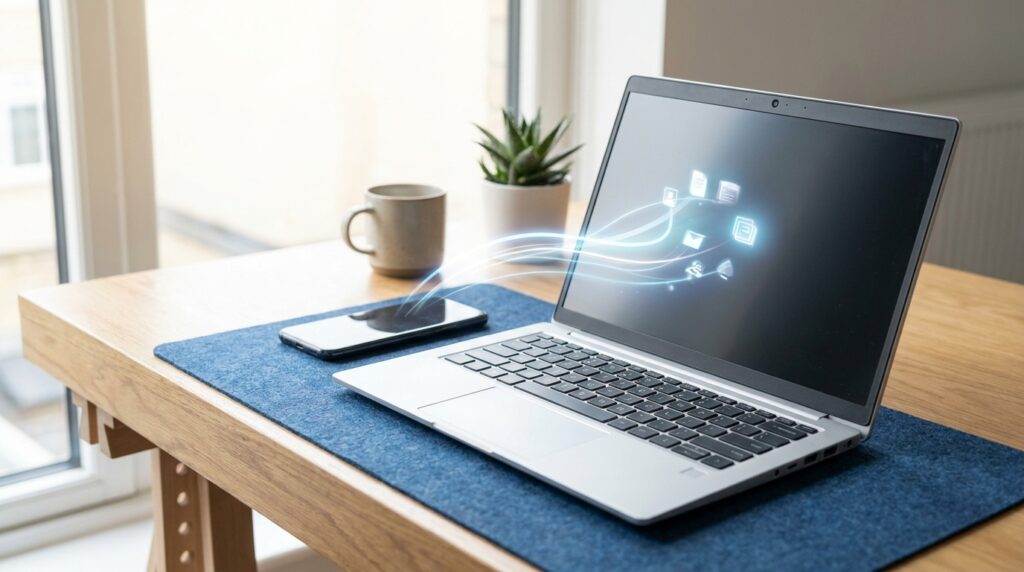
Missed messages often lead to missed appointments and lost sales, a common frustration for many UK businesses. Relying only on email can slow things down because inboxes aren’t always checked right away, and those delays add up fast. Email to text messaging closes that gap by sending messages straight to a phone, cutting out the wait and the guesswork about whether something was seen. When something needs action the same day, that speed really matters.
With email to SMS conversion, an email is sent as a text message to a mobile phone. Texts are usually read within minutes, while emails can sit unopened for hours. For healthcare and retail teams, that timing helps daily work run smoothly and makes customers feel cared for, especially when appointment reminders and order updates arrive on time. The benefit shows up in small, everyday moments.
This guide explains what email to SMS is, how it works, and where it fits into modern mobile marketing rather than being just another channel. It covers real data, practical use cases, and clear steps to get started, along with guidance on following UK rules like GDPR and PECR. Tools like Sendmode support safe delivery that can grow as needed. This approach works for organisations of any size, including small teams trying out email to SMS workflows.
Why Email to SMS Beats Email Alone
Email still has a place, but it often misses the mark when timing matters. Most people check their inbox a few times a day, usually around lunch or after work. Phones are different. They get checked constantly. That gap explains why email to SMS works so well, especially for messages that need attention now, not later.
The numbers back this up. Recent studies show SMS messages reach open rates of about 98%, while average email open rates sit closer to 20%. Replies tell the same story. SMS responses often come back within minutes, which fits how people already use their phones. Email replies can take hours, sometimes even days. For time‑sensitive updates, that wait can be a real issue.
|
Channel
|
Average Open Rate
|
Average Response Rate
|
|---|---|---|
| SMS | 98% | 45% |
| ~20% | ~6% |
UK consumer behaviour shows the same pattern. Research from TextMagic found that 92% of UK consumers engage with business SMS, and only 8% ignore them completely (TextMagic). Those numbers speak for themselves.
Email to SMS doesn’t replace email. Many businesses still use email for longer details, then send SMS for alerts or reminders, like appointments or delivery updates. Together, each channel does what it’s good at.
How Email to SMS Conversion Works in Practice
The process is simple. An email is sent to a special address tied to the service, and that system forwards the message as a text. It can reach one phone number or a group, based on how it’s set up. Nothing tricky is happening behind the scenes, just a clear path from an inbox to a mobile phone.
Because it works this way, these platforms fit easily into tools teams already use. There’s no extra software to install or manage each day, which cuts out a few common frustrations. Teams often use it for things like:
- Sending system alerts from a shared inbox they already watch, often the same one checked throughout the day
- Turning booking confirmation emails into SMS reminders, with messages shortened so they make sense as texts
How the message turns into an SMS depends on the service. Sometimes the subject line becomes the text. Other times, the message pulls from the start of the email body. Some tools let you control formatting, while others keep strict length limits so messages don’t get cut off mid-sentence. These details may seem small, but they matter when clear messages count.
This setup sticks around because it works well with older systems. Many healthcare or education platforms still send notices only by email. Email to SMS links those systems to phones without custom builds or changes, keeping things calm and predictable.
Automation adds more value over time. A missed appointment email can send a text reminder. A stock update can become a delivery alert. With no manual steps or inbox watching, teams save time, avoid mistakes, and get a little breathing room.
Sector‑Specific Use Cases That Drive Real Results
Email to SMS plays a different role in each sector, but the results are similar: faster action, fewer follow‑ups, and clearer messages when timing matters.
Healthcare teams use it for appointment reminders and test result notices, along with staff alerts that focus on speed instead of extra features. Research from Sinch shows SMS reminders cut missed appointments by 30, 50%, saving time and resources. Patients also say they read texts sooner than portal messages or emails. Short updates arrive quickly, and in healthcare, even small delays can turn into real problems.
Education providers use email to SMS for absence alerts, schedule changes, and urgent updates parents need right away. Emails often sit unread during the workday. Texts usually don’t. Schools hear back sooner, and families stay informed without guessing what’s going on or when they should respond.
Retail brands depend on it for order confirmations, delivery notices, and click‑and‑collect updates that go straight to a customer’s phone. Attentive, which tracks mobile shopping behavior, reports that 42% of consumers buy within hours of getting an SMS. Timing drives that reaction, especially when the message matches what the shopper is already waiting for.
Common mistakes include messages that are too long, or mixing non‑urgent marketing with missing consent or opt‑out details. Small slip‑ups can lead to noticeable issues.
Compliance and Trust in Messaging
For UK businesses, trust sets the pace for SMS. GDPR and PECR still apply when a message lands as a text, even if it started as an email. That detail often catches people out, but it still counts. The focus stays on handling messages in ways recipients expect and regulators require.
Key compliance points include:
- Clear opt‑in for marketing messages
- A lawful basis behind operational messages
- Opt‑out instructions that are easy to spot and use
- Secure handling of personal data at every step
Healthcare and education organisations need extra care with sensitive information. SMS works best as a quick nudge or alert, not a place for full medical details or personal records. Longer explanations belong in secure channels.
Audit trails matter too. Being able to show when consent was given and when messages were sent can protect an organisation if questions come up later.
Systems built for UK compliance help keep that risk under control.
Getting Started With Email to Bulk SMS the Right Way
The easiest wins often come from starting small. Appointment reminders usually bring fast results, which makes them a good first use case. Delivery alerts and internal staff notifications can run alongside them without adding much extra work. What matters is watching what works and letting that shape what you do next.
Before sending anything, map out your current email flows. Urgent or time‑sensitive messages stand out quickly, and those are strong picks for email to SMS. There’s no need to guess.
A few ground rules keep things tidy. Decide which inbox events send a text, keep messages short, and include opt‑out language where required, even if it feels repetitive.
Review results often. Response times, missed appointments, and customer feedback usually show clear patterns within weeks.
Email to SMS works best when it supports a wider mobile communication plan, rather than running on its own.
Frequently Asked Questions
What is email to SMS conversion?
Email to SMS conversion turns an email into a text message sent to a mobile phone. It allows businesses to trigger SMS alerts using existing email systems.
Is email to text messaging GDPR compliant?
Yes, when done correctly. You must have a lawful basis, follow opt‑in rules for marketing, and protect personal data according to GDPR and PECR.
When should businesses use email instead of SMS?
Email works better for long messages, documents, or non‑urgent updates. SMS is best for short, time‑sensitive communication.
Can email to SMS be automated?
Yes. Many systems allow rules and workflows so that specific emails automatically send SMS messages without manual action.
Does email to Bulk SMS support two‑way communication?
Some platforms allow replies to be routed back to email or dashboards. This enables two‑way communication for confirmations or quick responses.
Putting Faster Communication Into Practice
Phones are where updates really get seen, which is why turning email into SMS matters more than chasing trends. For UK organisations in healthcare and retail, it reduces waiting, cuts repeat steps, and keeps services moving without hassle.
Mixing email’s detail with the speed of SMS creates a simple, mobile‑first setup that boosts engagement and day‑to‑day efficiency, without much effort. What if you start with the messages people need most? You’ll see that starting small works. Compliance stays in place, and the focus stays on clear, timely updates, nothing extra.